Tool Town: a place for ideas to move in next door
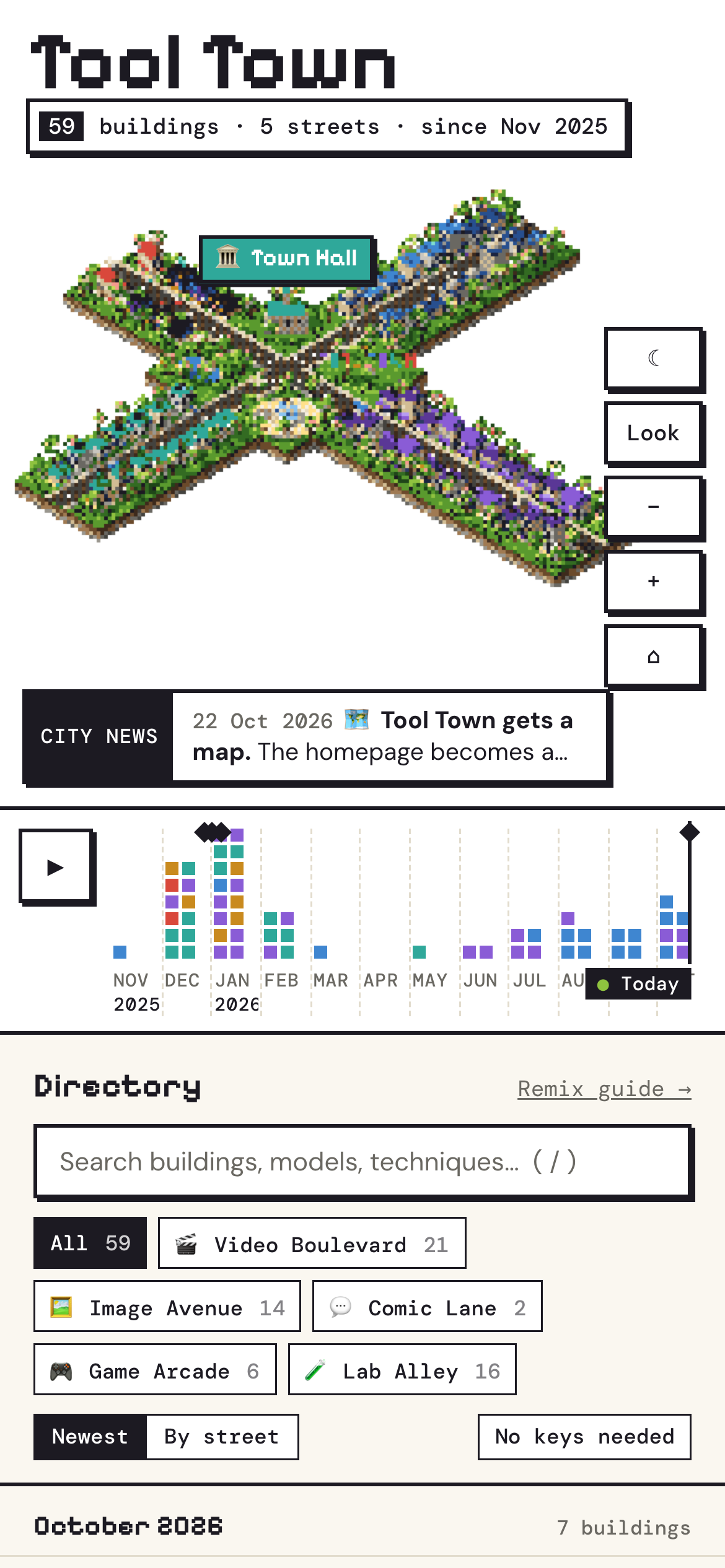
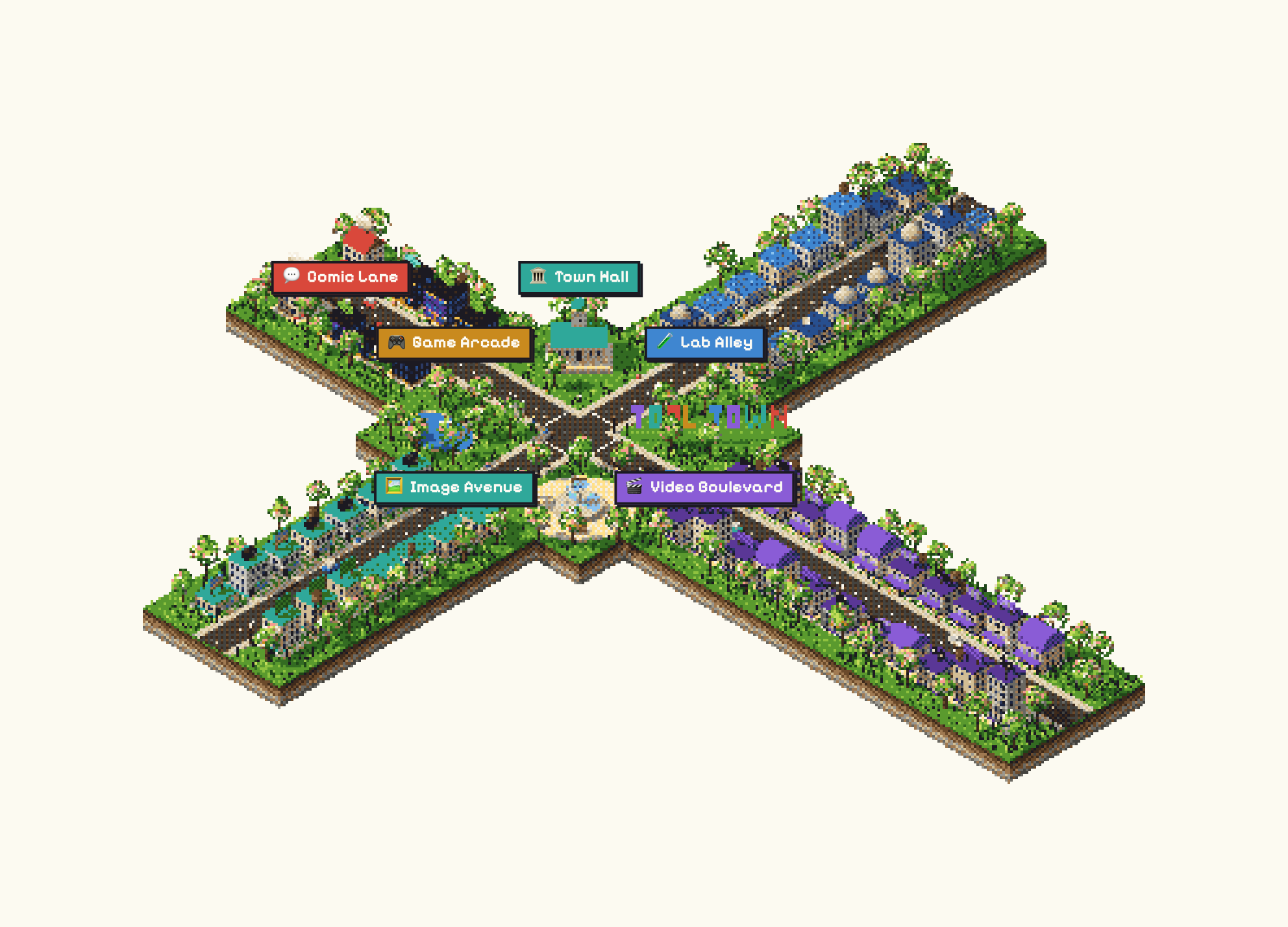
Ten months ago, just before the Christmas break, I committed "a whole bunch of prototypes before I wrap up the year" to a new repo. That repo became Tool Town. Today it has 59 buildings on five streets. As of this week, the homepage is an actual town: a little dithered isometric island you can pan around. Every building is a prototype, and a timeline lets you watch the whole place grow.
If you read my day-in-the-life post, you'll know I have a habit of turning ideas into single HTML files. Tool Town is where those files live. This post is about why it's a town, what has changed since I started, and what I'm still working out.
Why a town?
I went with a town because I wanted ideas to spread. I wanted permission to duplicate ideas, for me and for anyone else. I love the idea of ideas clustering. Someone wanders past an idea, likes it, and becomes a neighbour by generating their own HTML file to suit what they need.
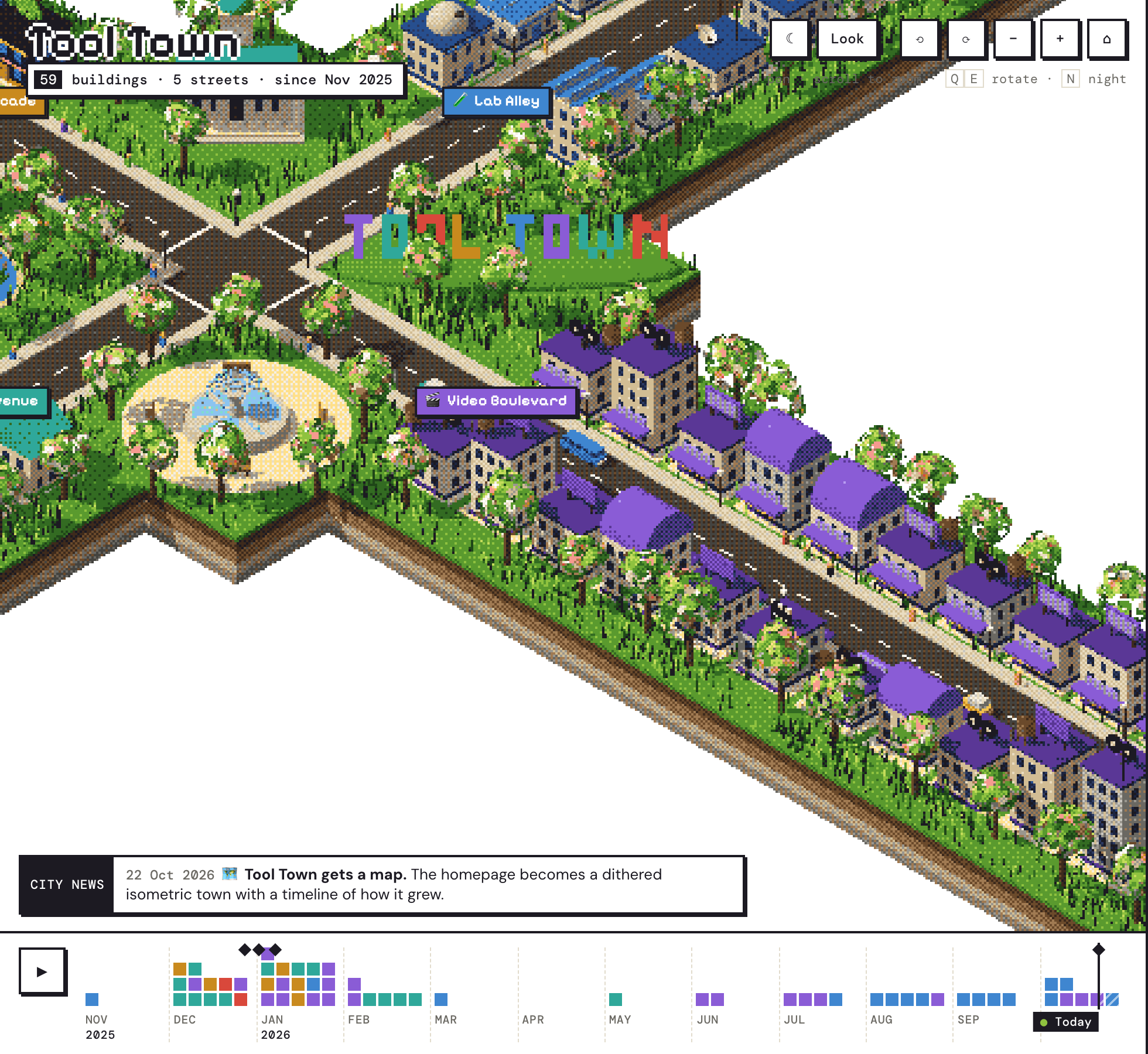
The analogy just grew from there. Prototypes are buildings, and categories are streets: Video Boulevard, Image Avenue, Comic Lane, Game Arcade and Lab Alley. The main audience is a lot of non-technical folk, so I'm always looking for metaphors that are accessible and inviting. Nobody wants to read about CORS on a homepage, but everybody understands plumbing.
Plumbing
Speaking of which. I have a rule of one project, one file. The reality is that some buildings need a little server proxy because of CORS: some APIs won't let a web page talk to them directly from the browser. In town terms, a building can't connect straight to the water main. It has to go through the water utility. Those buildings get a 🔧 Plumbing flag, and on the new map, a water tower on the roof.
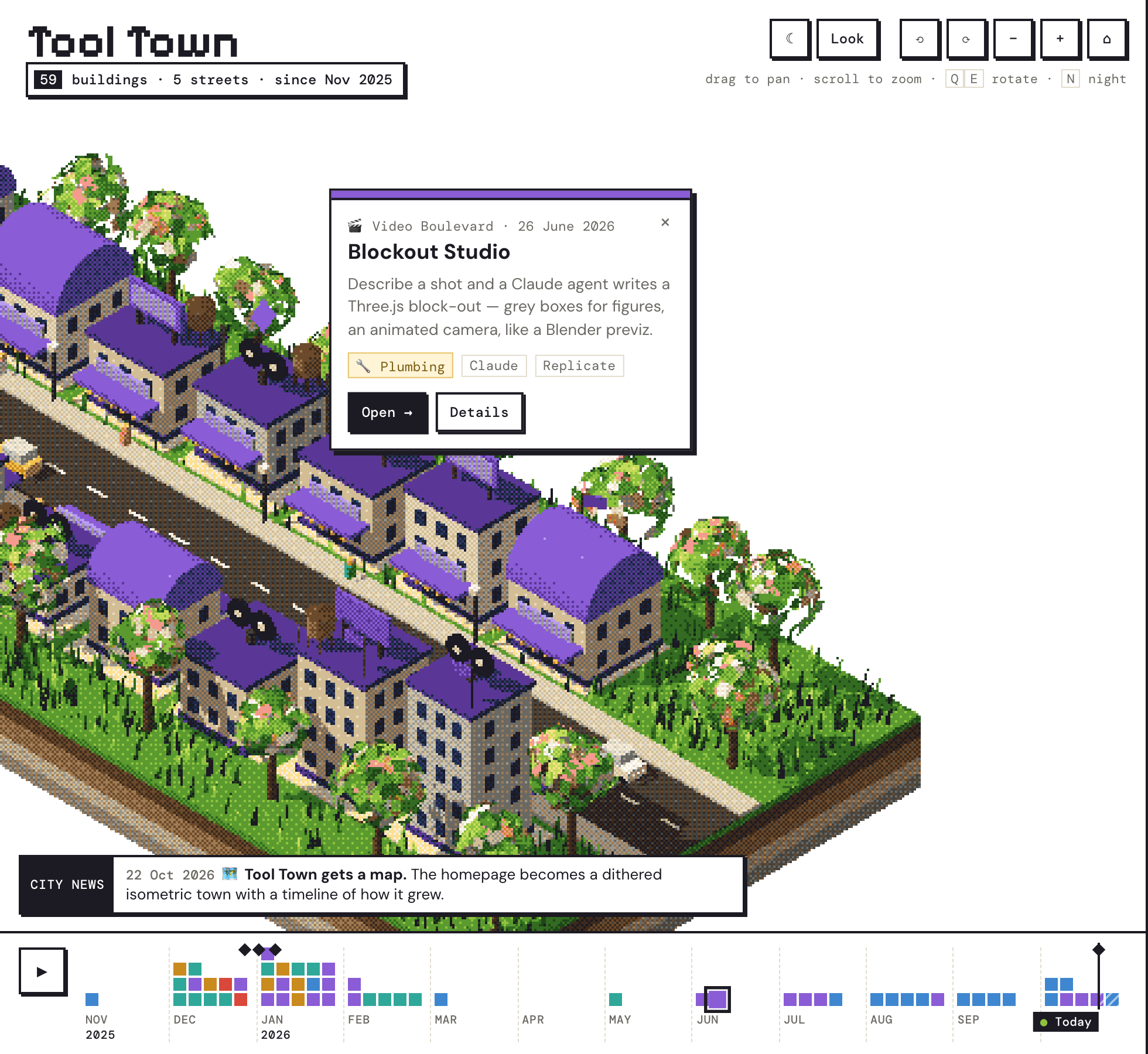
It's a bit of a faff. Luckily, if you explore Tool Town through an agent, there's now enough context in the repo for the agent to spin up the proxy for you. A non-technical person doesn't have to learn what CORS is or reason about it.
The models got good at sketching
When I started, the UI the models produced was good enough for prototyping but still pretty far from something you'd design. Now, essentially since Fable, they can really fly when exploring UI and UX concepts.
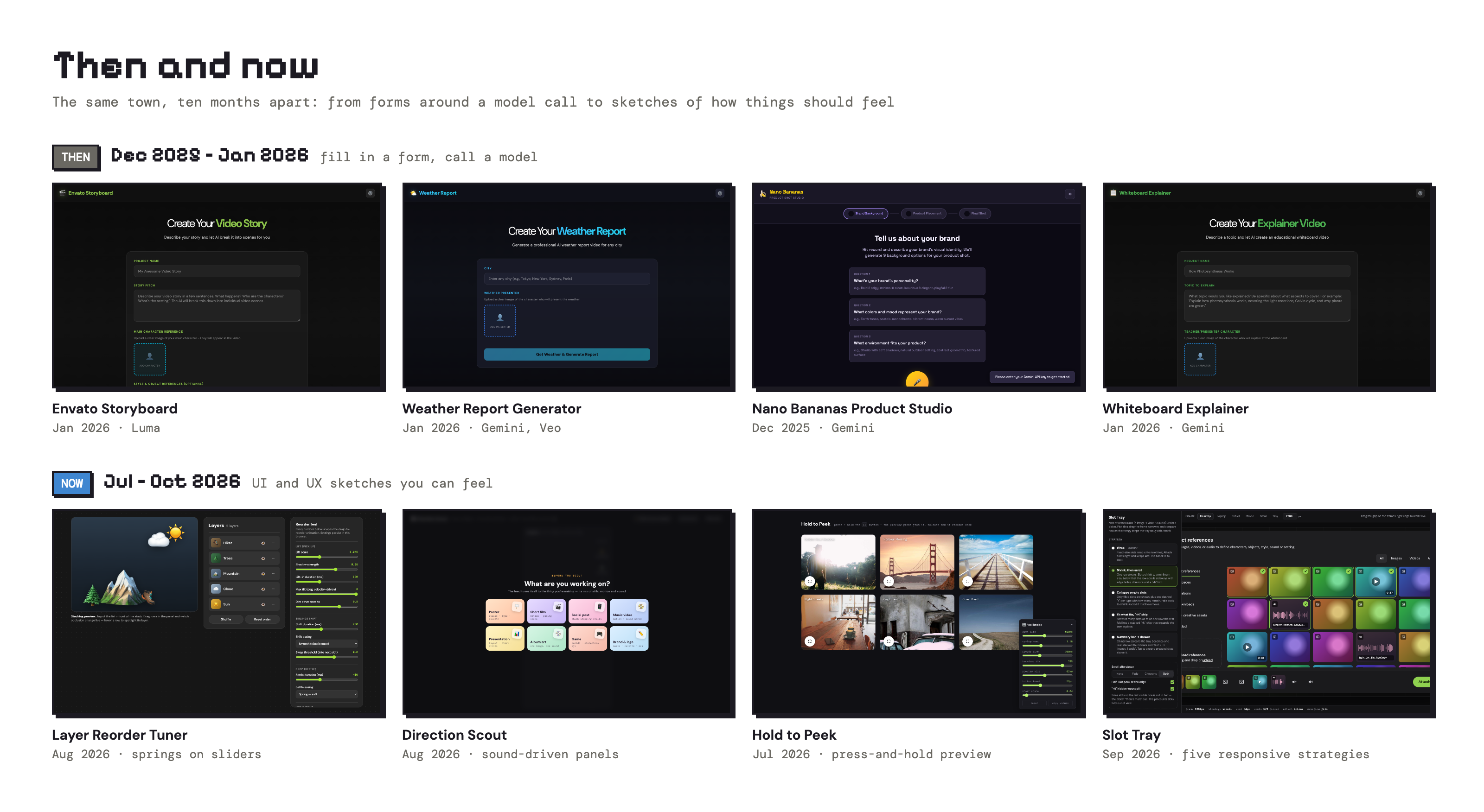
You can see it in the town. The early buildings point a model at a task: a Luma storyboard, a product photo studio, an infographic generator. The newer ones are sketches of interactions: a trim modal, a press-and-hold preview, and a drag-to-reorder tuner with every spring and easing on a slider. There are a lot more sketches now, because I trust the models as partners in design exploration, not just as something to call through an API.
The town remixes itself
A lot of remixing happens in Tool Town, and some of it happens on its own. I'll give an agent a brief, and it will dig around the repo and find related work by itself. That's one of my favourite parts of having a growing collection: the more buildings there are, the more prior art each new one starts from.
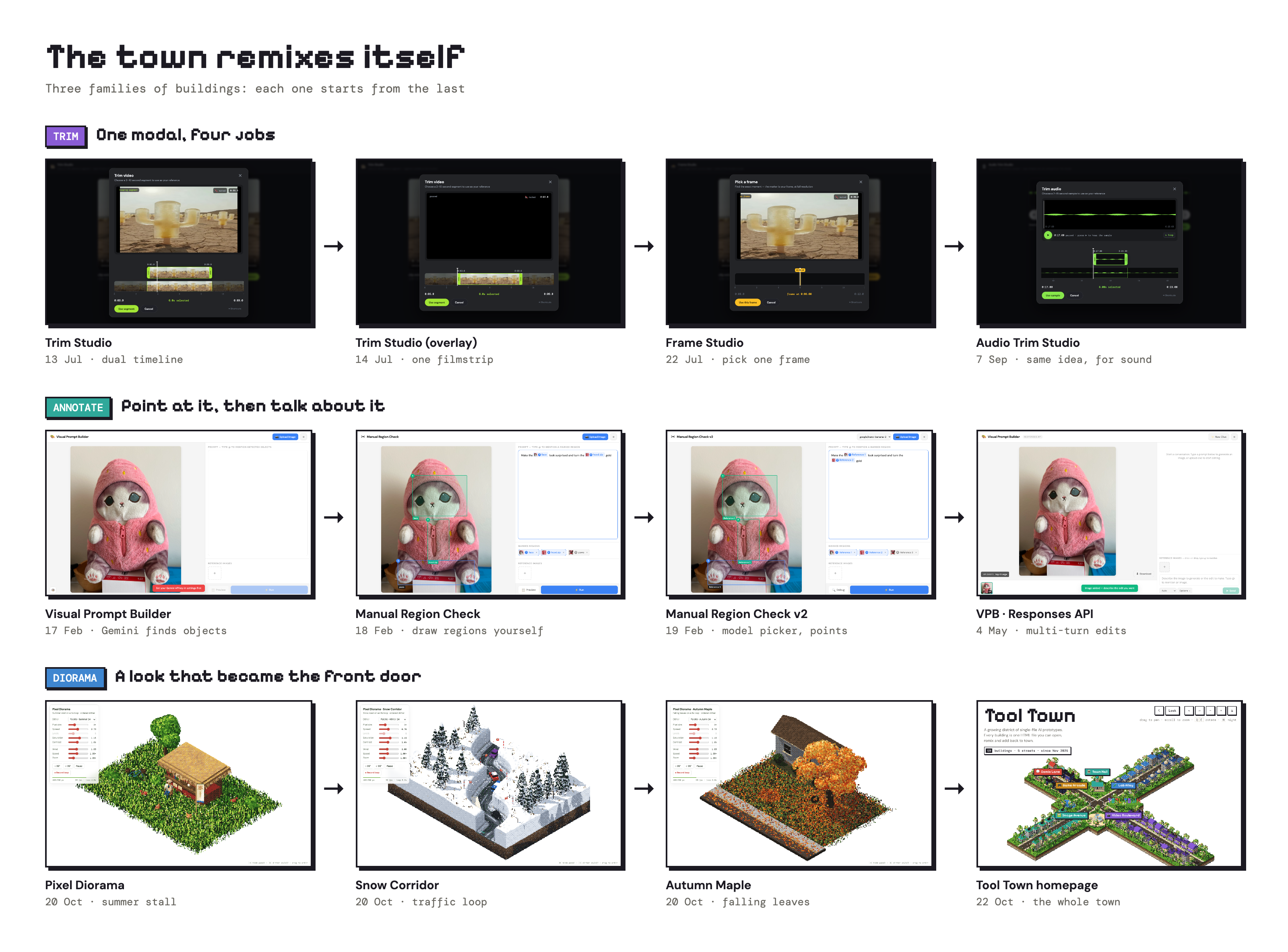
The infrastructure is growing in ways I didn't really direct, too. Different models have contributed to the town, and some worked out that they needed certain things to check their own work and iterate. Examples include headless browser checks, notes written for the next agent, and lists of gotchas. So the town collects ideas, and also the boilerplate that makes the next idea easier to build properly.
Variants, and coming back to them
One early building I really enjoyed making was for annotation: point at things in an image, then refer to them in your prompt. It travelled a bit internally. Variants with different trade-offs were easy to make: let Gemini detect the objects, draw the regions yourself, or swap the model underneath.
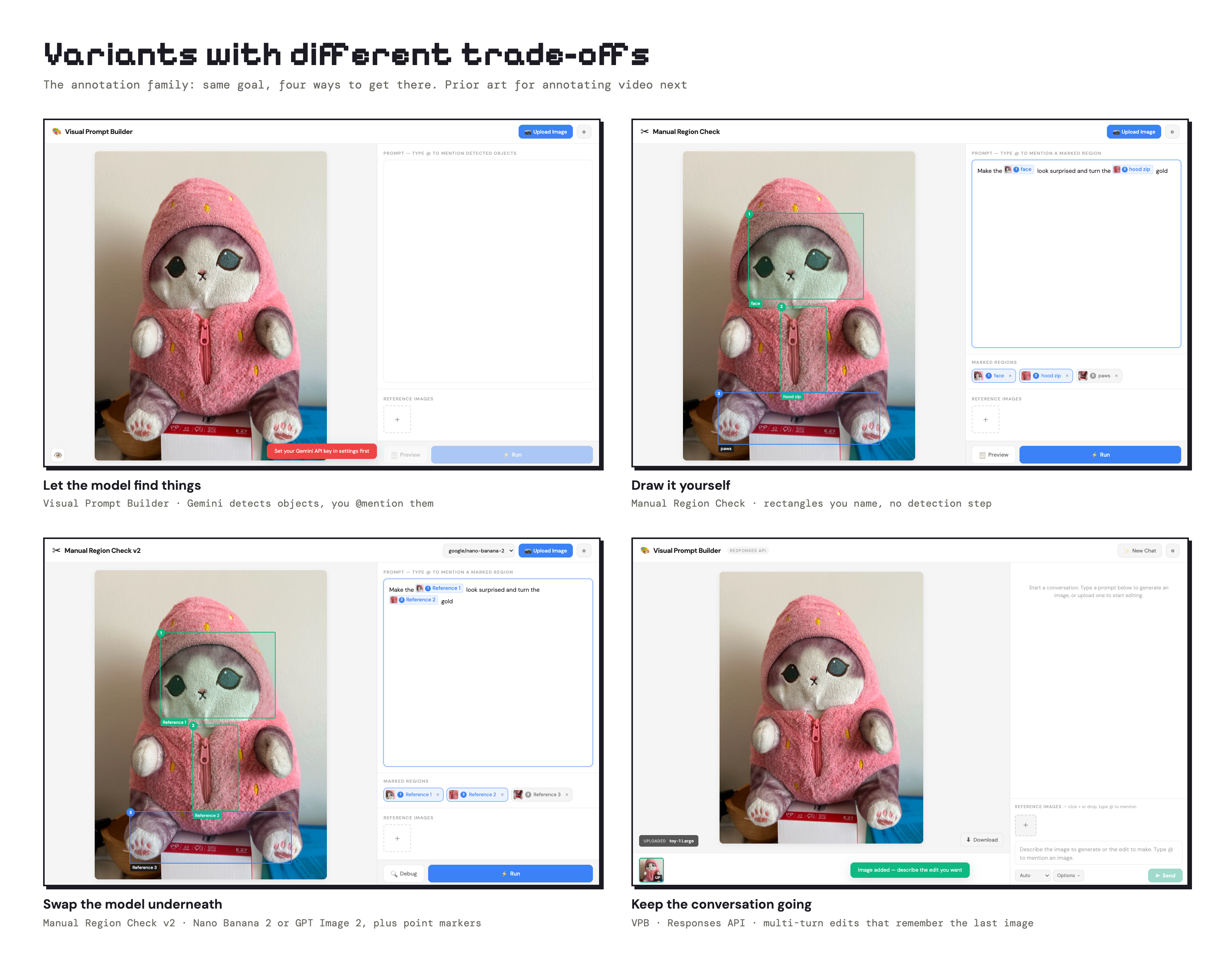
Growing a few options and keeping them around is kind of cool. Now that I want to revisit annotation for video, I already have prior art here to help me sketch a starting point for the UI and UX.
Is it shared?
Tool Town is open, and one of my goals is to grow the number of people contributing. So far it's mostly me, plus one colleague's pull request and a few commits from a Cursor agent. I want to do more work getting it out there.

There are a few reasons it isn't busier. Not everyone on the team does exploratory work with APIs; that's a capability I'm trying to build. We've also made other internal prototyping tools that are better suited to UI and UX that plugs into our apps. Where Tool Town shines is breadth: the range of things you can try.
When I started it, I wanted to model a behaviour for our design team: building throwaway prototypes. I think people across design and engineering need to be more deliberate about writing throwaway code. Everyone wants to rush to building the feature in prod. A town full of throwaway buildings is my way of saying it's okay to build something just to learn from it.
Start your own town
That's Tool Town (tool-town.design.envato.net). Pick a building and open it. If it's nearly what you need, copy it and move in next door. The Town Hall has a guide.
All you need is a new repo with an index.html file and folders for your collections. Don't think too much about it, just get into it.