Grok Bot at home and at work
This is the written version of a talk I gave at the Global AI Conference Sydney, at Microsoft in North Sydney, on 16 November 2026. It's about how I use Grok Bot at home and at work. The slides were animated, so I've rebuilt the main ones here. They play as you scroll, and you can replay them.
Joshua
Crowley

Grok Bot
at home
and at work.
Joshua Crowley
Design Engineer at Envato
Build Ambassador in SpaceXSI community
I've been using a lot of Grok Bot, and it's been a lot of fun. It went 1.0 earlier this month, and it's only been out for about three months. You've probably noticed a trend of these personal agents coming up. I think Grok Bot was one of the first.
A bit about me. I'm a designer, I work at Envato, and I'm one of three Build Ambassadors in SpaceXSI community here in Sydney, alongside Sam Leatherdale and Sidharth Sabu. We run events on Grok Bot and Cursor. They're fun and really diverse. Engineers, designers, product managers, and anyone non-tech is more than welcome too.
I asked the room who had tried Grok Bot, and who had used it at work. A lot of people are trying it at home. I enjoy it at home, but I've also found it really useful for work, so this is about both.
It didn't click straight away
As an ambassador, I got early access to Grok Bot before it was released. That was interesting, because there was no hype when I was onboarded. It was just, here you go, use this app. They wanted to see how I'd use it, and they didn't give me any instructions. It took me about two weeks to find my ground and figure out how I wanted to use it.
Two weeks
little experiments
click!
It just took a bit of experimenting, and I think it's still that way now. You can pick up Grok Bot without reading a manual. You don't have to set up skills. No shade to the other presenters, but you don't need to plug in a Mac mini to get value out of it. It just works, out of the box.
Speed
Grok Bot is focused on consumers, and consumers care about speed. I use it on my phone, so it needs to be flashy and responsive. Compared to other tools I use daily, like Cursor, which can feel a bit turn-based and slow sometimes, it's very snappy. A lot of engineering effort has gone into that.
Speed
If you want the technical details, there's a really good talk on YouTube by Lee Robinson from the SpaceXSI team, How always-on agents work. He gets into the architecture. There's a very thin client that you talk to, which is very snappy, and it spins up sub-agents in the cloud. Everything you're doing is cloud native, and you don't need to think about it.
It hands off the work
always answers
But it kind of broke my mental model of how I explain AI to people. People want to learn about prompts, which models to use, skills. Grok Bot dissolves a lot of those concerns. You're just using it, and you're not thinking about those details.
How agents work
How agents work
my mental model
So now, after two weeks of confusion, it's a bit like Sriracha for me. It goes on everything, and it seems to make everything taste better.
On absolutely
everything.
You get a free computer
Another detail that takes a while to realise is that you get a free computer when you use Grok Bot. A VM in the cloud. Not many companies give you a free computer when you sign up for their product, but that's exactly what happens here.
Each device you have Grok Bot on connects to that computer, and that matters for how you use it. I find it seamless to go between my phone and my Mac, pick up a task and keep going.
The computer is a Linux machine. Under the hood, these are Cursor cloud agents. I think a lot of people are sleeping on cloud agents, but I use them a lot for work. It runs Chrome, a terminal and files, so there's a file system for your Grok Bot.
A free
computer
a VM in the cloud
A computer it can drive
This is the bit I felt was missing from the talk. Grok Bot gets its own computer in the cloud, with a browser and a desktop it can drive to do real work for you. It's really good at computer use, and it can use that VM to be really productive on your behalf.
Its own computer
a browser
and a desktop
That's how my Envato bot can sign into the app I work on and click around. More on that further down.
The clicker I left at home
Here's a quick demo of how I usually use Grok Bot. It's just my phone. I made this whole deck on my phone.
While I was watching the other talks, I realised I'd left my mouse clicker at home. So I got my Grok Bot to update the talk to have mouse clicker capability, while I was waiting. When it came time to present, I could just whip out my phone and use a clicker that synced with my presentation using a QR code.
Demo
just a chat
You can see it's really straightforward. You just go back and forth. As I'm working on the deck, it shows me the new slides. It's deploying the slides and merging PRs, using the infrastructure and loops many of us know from engineering. But for me, it's just a chat.
Being able to think in this malleable software, and create tight loops where you can deploy and verify and think about what you need, is very much something a platform like Grok Bot enables. It's really this workspace you can pull out and do meaningful work in whenever you want.
The sharehouse
I like to think of my bots as neighbours in a sharehouse. They all live on that shared VM and hang out together.
The sharehouse
neighbours!
They have a shared kitchen. They can access the file system and share logged-in browser sessions. So if you've got Chrome running on that remote computer and you sign into Woolies, your bots can usually use that Woolies session.
But importantly, they have their own room. They develop their own memories and skills and keep them there, which is useful for keeping things siloed. You don't have to set it up. The bots just do it as part of the housekeeping.
You can also get them to talk to each other and collaborate. Often I'll rely on one or two bots for a task. I have a bot for my LinkedIn and another for events, and sometimes there's crossover, like when I promote an event on LinkedIn.
Some people like always having a landlord, or a chief of staff. I live in Sydney, not SF. I don't have a chief of staff, I think more about my landlord. I don't use that pattern myself. I just chat to my different bots, and when two of them need to work together, they knock on each other's doors. Other people put bots into teams. Everyone I talk to is doing something different, and they all seem happy with it.
So it's up to you to build your own mental model of how this stuff should work. I think there needs to be more of that in AI: things people can just pick up and get value from.
Four secret ingredients
There are maybe four secret ingredients to Grok Bot worth calling out.
Four ingredients
Context
Plugins
Credentials
Memories
Context. You can give your bots screenshots, photos, files and PDFs. They're really good at managing their context, taking what you upload and making it work. For me, that's worksheets, a brief or a course guide.
Plugins. Grok Bot uses Cursor's established plugin system, which I think is one reason it's been so productive out of the gate. You can connect Gmail, your calendar and Google Docs really easily. When I started there was no Gmail plugin, and when it landed it was a huge unlock.
Credentials. Credentials are stored safely inside Grok Bot, so you're never handing your bot your Cloudflare keys. There's a vault that's synced on the server. It's built on the infrastructure the Cursor team built to make Cursor work, so you know it's good. That's how my bot can deploy a kids' app on my Cloudflare account.
Memories. This one's the most mysterious to me. You can just keep talking to a bot, over and over. You're never thinking about your context and how things might spiral out of control. They stay focused, and they remember stuff you talked about months ago. I don't know how it works, and I don't need to.
Where's your data?
The biggest challenge is figuring out where your data lives, and stitching it together so the right bots have it. That can be tricky with home and work, especially if there's crossover. I have a dedicated work account and a dedicated home account, and I think that's good.
Where’s your data?
Notion
Gmail
a brief
worksheets
Everyday bots
These are some of the bots I use every day.
Everyday bots
Model Lab
Prototype Lab
Inbox
I do a lot of prototyping at work, with the latest AI models. Keeping up with all of them is overwhelming, so I get a bot to do a digest. It tells me what's shipping, and might spin up a brief I can use for another prototype.
I also like using a bot to manage my inbox. It archives emails, and lets me know if there's a permission form to sort out, or a bill that hasn't been paid.
At work
At work, I've been loving signing my Envato bot into the web app I work on and letting it control it and click around. Then I'll explain, "I just finished this feature. Try it out in five different ways," and see how it uses it.
At work
Envato bot
on that
computer
Testing the site has been interesting too. As a design engineer, being able to push my bot to try out a tool, go into loops and verify the work I've done has been really useful.
We've even done creative projects together, like making a film. I made this one essentially on my phone, explaining the scenes and characters I wanted, and the bot used the products I build at work to bring it together. It was even stitching the video clips together, and sending me cool little screenshots of the character sheets.
It was a fun experience. Being productive without having to learn a UI. Just being in flow, and talking about the goal: making a film.
At home
At home, I've been enjoying making little web apps for the kids.
At home
Little web apps
for the kids
a phone
a kid
a web app
One of my daughters, Frankie, is really into learning to read. Her teacher gives us worksheets on the reading areas to work on at home. I took screenshots of those and worked with my Grok Bot to develop a little custom reading app.
I'm also making the apps agent first, so they ship with little MCPs. After we've been playing with the app, I can go back to my bot and ask for a bit of analysis. How did it go? What kind of troubles did Frankie have? How could we make it better next time?
The main thing is I'm sitting next to Frankie, watching her use the app, and I'll learn something. There's a capability gap, or a feature we need. Or Halloween's coming up next week, so we should add some Halloween content. I can just pick up my phone and type that into Grok Bot, and it does the full loop, the whole product development lifecycle, really rapidly. The next time we're playing, that idea is in there. The friction of getting an idea out is really coming down.
Another fun one in the family is DinoSnap. Again, a silly app made with Grok Bot. We take photos on our phones and use AI to add a dinosaur in the background.
DinoSnap
a big hit
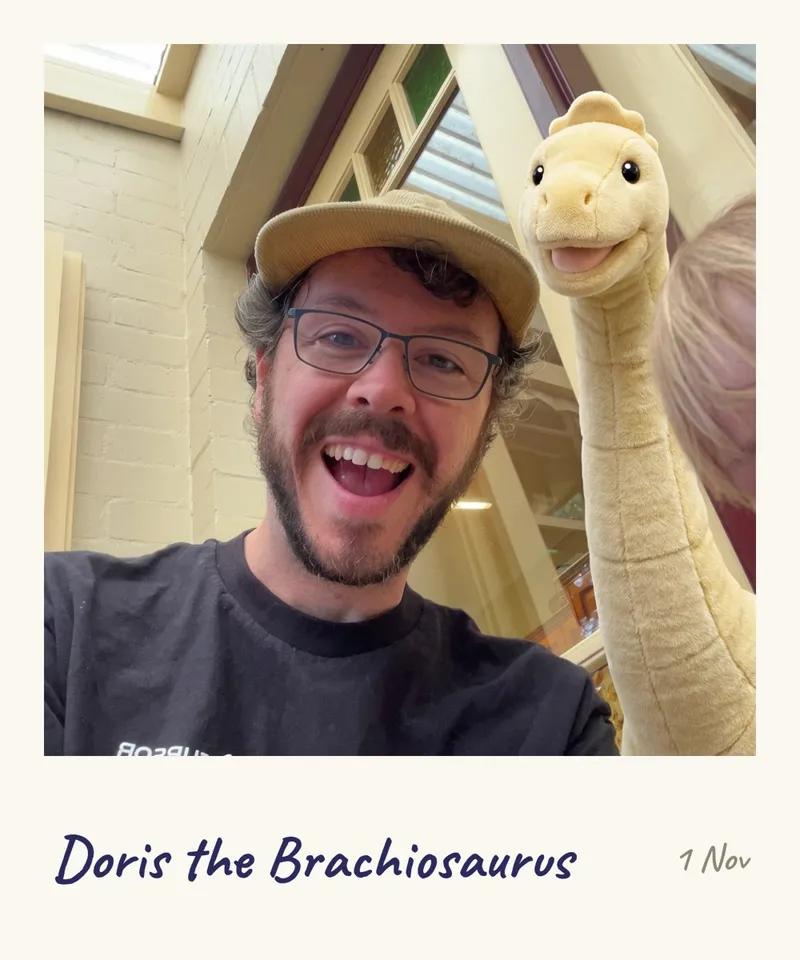
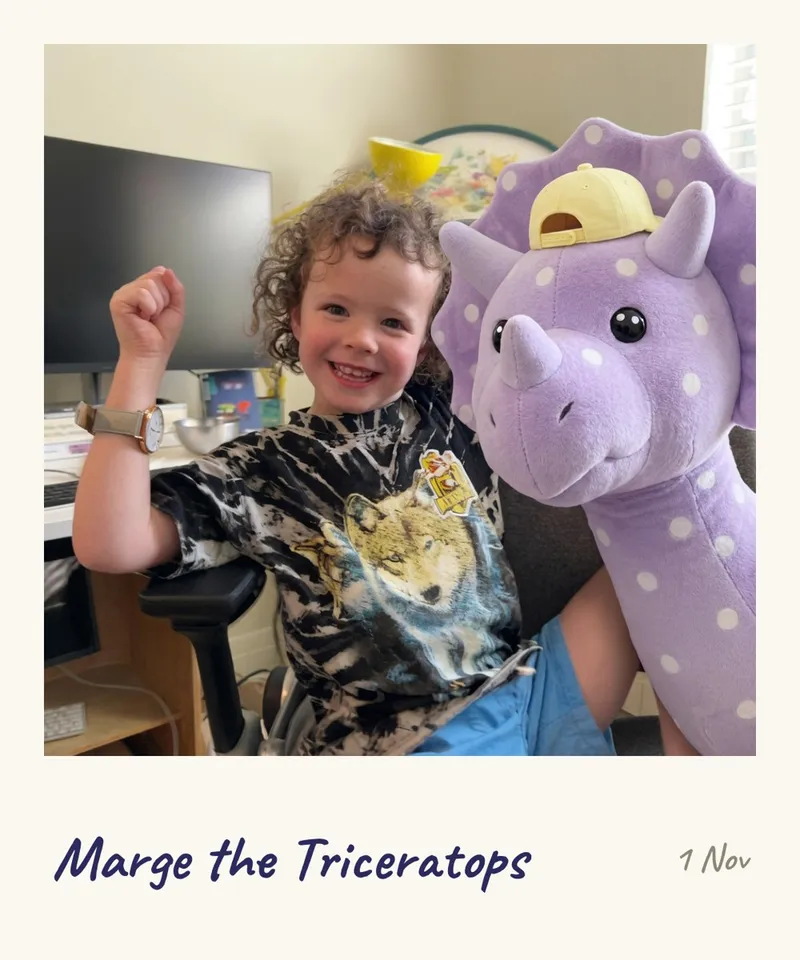
Less popular has been Maths Adventure, which I find really funny. It seems AI has effectively solved maths, but wake me up when it's solved maths education. That seems to be an intractable problem in my household.
Maths adventure
less successful
Malleable software
I really encourage you to get curious about these kinds of workflows. Think about resetting your relationship with your computer, and the kind of software you could make for yourself. A lot of the presentations tonight were about making our own software to solve problems at home, and I'm glad to say the barrier to that is at rock bottom.
Think about software as malleable, almost like clay. Then you can connect up these systems and make things that are very rapidly iterable.
Malleable software
clay,
not an appliance
The clicker I made while I was waiting to present is a small example of this.
Curious Kitchen
A lot of people love Grok Bot for business. I have a little side business called Curious Kitchen, where I train people to use cloud agents and Grok Bot. I use it to automate a lot of arduous work, like going into Luma and setting up events, or setting up my membership site. Again, that's all agent first: thinking about how you deploy infrastructure, and using services an agent can do a lot of the work for.
Side business
Curious
Kitchen
training: building with cloud agents
(and Grok Bot)
Questions afterwards
Some of the questions I had afterwards were about why I trust Grok Bot. That was a good question. I started by using Grok Bot for small, low stakes work. For me, that was meal planning. Then, as I built up my trust and my understanding of how the system works, I moved into more sophisticated work.
But there are things I don't trust Grok Bot to do. To be honest, there's a lot of value I get out of Grok Bot without having to invest a lot of trust.
Thanks
That's it. Thanks so much. The full deck is live at grok-bot-talk.pages.dev if you want to click through the rest of the slides. The bots are drawn with Open Bot Avatar, and the icons are Phosphor.